

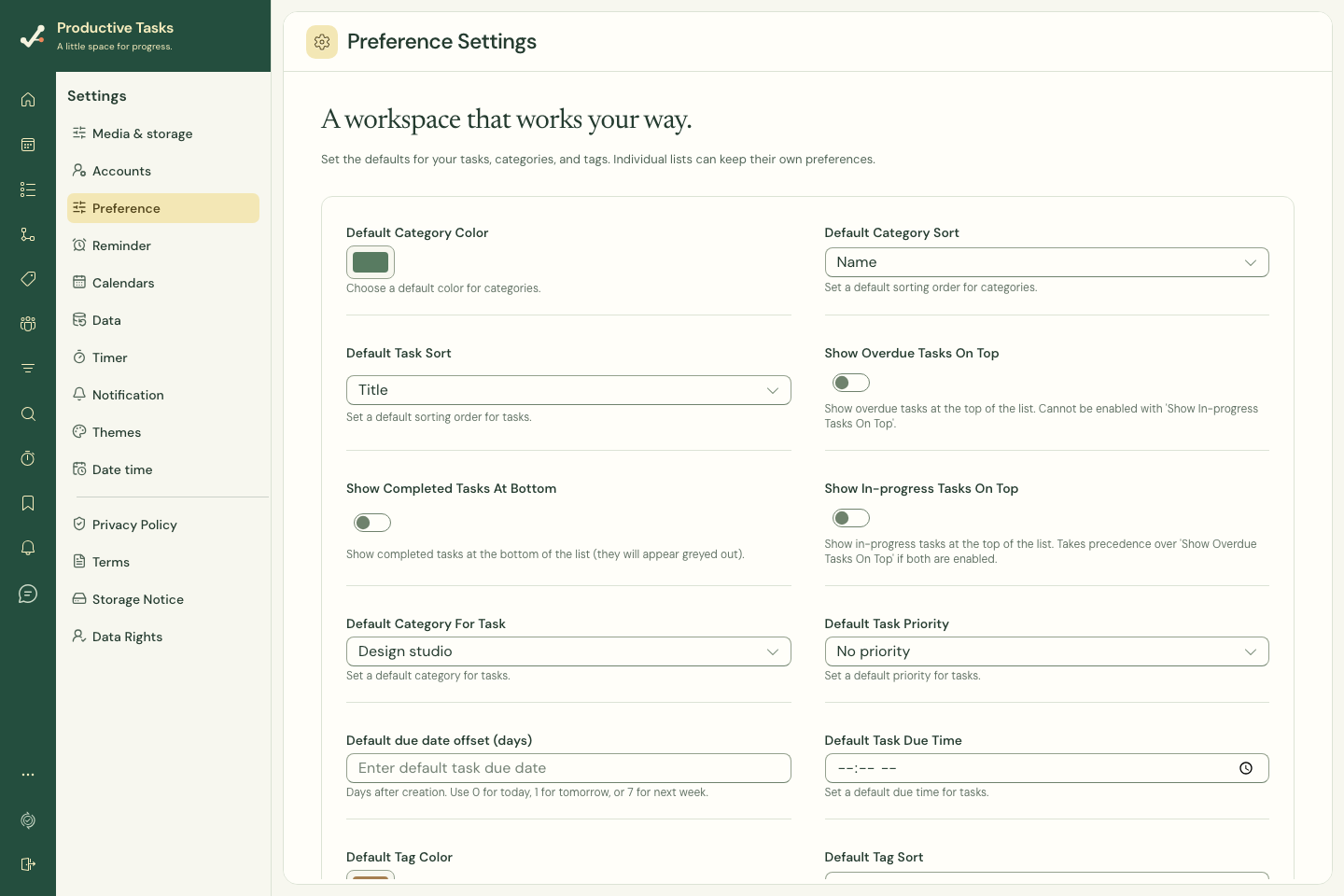
Choose creation defaults
Settings → Preference includes a default category and priority for tasks, a due-date offset and due time, and the character used to split a batch of task titles.
A due-date offset of 0 means today, 1 means tomorrow, and 7 means a week after creation. Check that these defaults match the way you capture work.
In the current web quick-entry field, check choices explicitly: it starts without a selected priority or date, uses the current/selected category or Inbox, and splits batches at semicolons. The creation preferences shown here are not all applied by that field. Other features, such as CSV import and the assistant, can use the saved default category.
Choose list defaults
Set the default task sort and direction. Category and tag sort preferences and default colors help keep organization consistent.
Overdue tasks on top and in-progress tasks on top interact; choose the behavior you actually want rather than assuming all list preferences are independent. Completed tasks can be placed at the bottom.
Understand overrides
A category or tag can have its own preferences. Those entity-specific values can take precedence over account defaults, which explains why two views may look different.
Wait for synchronization
Settings changes can be waiting to sync when the connection is unavailable. The app preserves pending preferences and retries. Check any sync message before expecting the same setting on another device.