

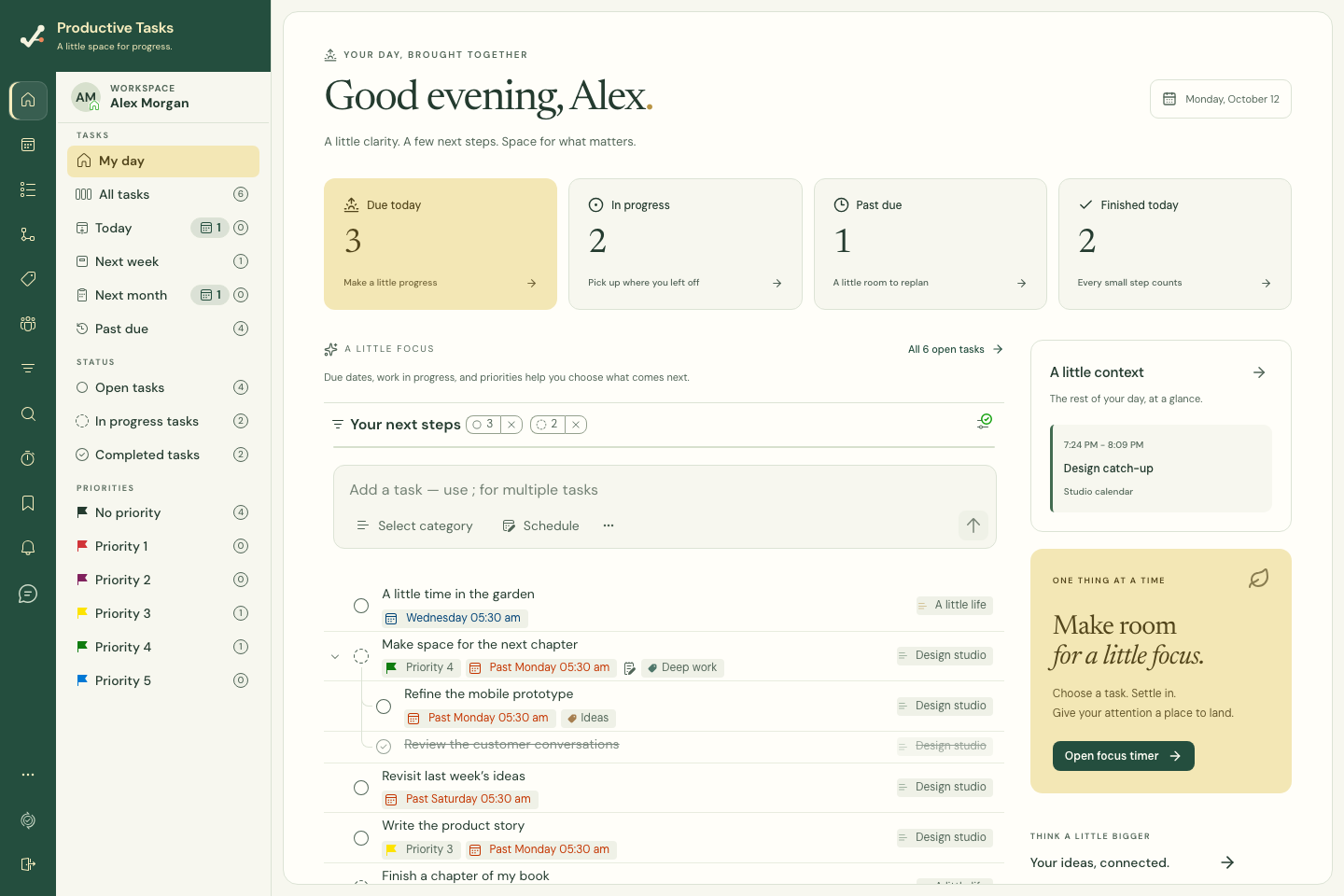
Review the day
Home brings together account tasks and daily context. Review the work shown, including overdue tasks that may need a new plan, before adding more.
Task trees stay connected so a visible parent or child is not mistaken for a separate, unrelated commitment.
The summary links show Due today, In progress, Past due and Finished today. Your next steps is a selection of task trees, prioritizing today’s work, overdue work, work in progress and priorities. Use All open tasks when you need the complete list.
Choose one next action
- Open Home from the primary navigation.
- Select a task to review its details.
- Adjust its schedule if your plan has changed.
- Use the focus launcher when you are ready to work.
Include calendar context
Connected calendar events can help you see the time already committed. Calendar integration is optional; you can plan tasks without connecting an external account.
Home previews up to four upcoming calendar events. Open Calendar or the See all link for the wider view. If the calendar cannot load, use Try again; an error is not confirmation that the day has no events.
Make daily review a small habit
A useful daily review is to finish what is done, reschedule what has changed, and pick one realistic next action. The app reflects your account data; it does not create a productivity target for you.